



Getting Errors Fixed
The software I downloaded will not install correctly.
If you have not completely downloaded the entire install package,
you will see errors when trying to install.
Some examples are:
- This file is not the correct size or is corrupt, and is unusable.
- is not a valid Win32 Application.
- Please insert Disk #2 to continue installation.
- This program has caused an error in Windows and is shutting down.
- QuickTime could not open the file...
- OR, clicking on the downloaded icon does nothing.
Because you have not completely downloaded the installation program (your download was interrupted), you will need to delete the incomplete install package and download again. You can delete the file by: 1) dragging its icon to your recycle bin; or, 2) clicking the icon once to highlight it and pressing the Delete button on your keyboard.
*Note: Before you install, you must make sure you have successfully downloaded the entire install package or it will not work.
* Click here to view file sizes for all of Ascentive products.
If the program that you are attempting to install was purchased, you should be able to download again from your Download Center.
To get to your Download Center, click here. If the program was a gift, go to http://www.ascentive.com/getgift to go to your Download Center.
Note: If you are unable to download from your Download Center, please click here.
If you would like to download or replace the ActivePak, Greenlight Guardian, PC SpeedScan, PC ScanAndSweep, Spyware Striker, or BeAware, the following links will help you with a new free download (right click and select “Save Target As...”):
The latest update was posted on December, 2010.
* To view the file sizes and latest versions, see this page.
English Version
Release Date: October 2014
Download ActiveSpeed
Nederlands Versie
Versie Datum: November 2009
Download ActiveSpeed
Deutsche Version
Freigabe Datum: März 2012
Download ActiveSpeed >
Español Versión
Fecha del Lanzamiento: Noviembre 2009
Descargar ActiveSpeed >
English Version
Release Date: October 2014
Download PC SpeedScan >
Nederlands Versie
Versie Datum: November 2009
Download PC SpeedScan >
Deutsche Version
Freigabe Datum: März 2012
Download PC SpeedScan >
Español Versión
Fecha del Lanzamiento: Noviembre 2009
Descargar PC SpeedScan >
English Version
Release Date: September 2014
Download PC Scan & Sweep >
Nederlands Versie
Versie Datum: November 2009
Download PC Scan & Sweep >
Deutsche Version
Freigabe Datum: März 2012
Download PC Scan & Sweep >
Español Versión
Fecha del Lanzamiento: Noviembre 2009
Descargar PC Scan & Sweep >
English Version
Release Date: October 2014
Download Spyware Striker >
Nederlands Versie
Versie Datum: November 2009
Download Spyware Striker >
Deutsche Version
Freigabe Datum: März 2012
Download Spyware Striker >
Español Versión
Fecha del Lanzamiento: Noviembre 2009
Download Spyware Striker >

Download Greenlight Guardian 2.1.0 Revision #48 >
File Size: 9.76 MB
Release Date: June 6, 2006
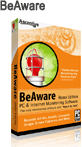
Download BeAware Home Edition 2008 Version – 7.0.5 >
File Size: 14.5 MB
Release Date: April 3, 2008

Download ActiveDefender 1.0 Revision #92 >
File Size: 6.30 MB
Release Date: March 27, 2006
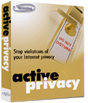
Download ActivePrivacy 2.2 Revision #134 >
File Size: 4.04 MB
Release Date: August 12, 2005

Download ActiveSweep 1.0 Revision #65 >
File Size: 5.42 MB
Release Date: March 27, 2006
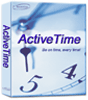
Download ActiveTime 4.0 Revision #39 >
File Size: 3.58 MB
Release Date: September 15, 2005
Most people are able to download from these locations right away. If you have trouble downloading from this server, you're probably accessing the net during peak time — you will probably have better luck in the early morning or later in the evening. We suggest trying several times over the next few days, and if you still don't successfully get the install package, let us know, and we will email you a copy.