
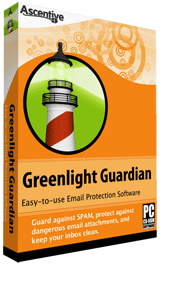
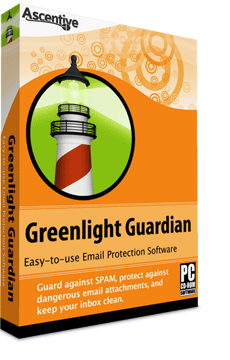
Greenlight Guardian
Easy-to-use Email Approval Software
Easy-to-use for beginners and advanced users |
No blocked messages from approved contacts. |
No lost emails from trusted contacts. |
Automatically import your contact addresses. |
ActiveSpeed |
|
| Online Discount | -$10 |
| Total Price | $29.95 |
 30 Day Money Back Guarantee
If you are unhappy with your PC’s results, contact us for a refund.
 |
Greenlight Guardian is developed by Ascentive, a Microsoft Partner with |  |  |
 |
Guard your E-mail InboxJunk e-mail is a problem that never seems to go away. Greenlight Guardian is a powerful solution that runs on a simple idea—before email can be sent to your inbox, the sender must get the ‘Green Light’. Each time an e-mail is sent to your address, Greenlight Guardian will check for the sender’s address. Only those addresses on the White List get the Green Light, so e-mail from unrecognized senders never reaches your inbox! |
How Greenlight Guardian Works:
White List vs. Black ListGreenlight Guardian will instantly import contacts from your address book. All emails from addresses on the White List will be sent directly to your inbox. Restricted addresses on the Black List are sent directly to your Junk Folder so you never receive spam again. |
Get the Green LightIf an address is not found on the White or Black List, Greenlight Guardian will deliver a request to the sender to verify the email address in a single click. All future emails from that contact will get the Green Light and go directly to your inbox. |
Clean Inbox GuaranteedThis proven method will keep your inbox spotless--Guaranteed! If you are not completely satisfied with Greenlight Guardian, Ascentive Software will give you a full refund in the first 30 days. |
Ward off dangerous e-mails and attachmentsSpam e-mail is a problem that seems to keep getting worse and worse. It is difficult to tell if an e-mail has come from a reliable source, or if it posses a dangerous attachment. In order to prevent the spread of viruses from e-mail you must guard your inbox carefully. Greenlight Guardian is an easy-to-use solution that ensures you will never receive a dangerous email in your inbox again. |
 |
 | Greenlight Guardian At-A-Glance | |
Save Time Stop wasting time every day deleting countless junk emails | Speed up your System Eliminate the spam-caused sources of system slow-downs. | |
Protect your PC Block dangerous emails before they can get to your inbox | Keep your Inbox Clean No spam will be delivered to your inbox, guaranteed | |
Features of Greenlight Guardian |
 |
|
Whitelist / Blacklist
Email from senders on your whitelist is allowed through to your inbox |
Email from senders on your blacklist are sent to Quarantine and automatically deleted after 7 days |
|
Customizable response message – New senders receive a verification email to add themselves to your whitelist |
Quickly import existing email contacts from Outlook, Outlook Express, Eudora, Incredimail, and Thunderbird. |
|
 | A word from our satisfied customers! | |
Kerry Stubblefield, Oakhurst CA USA | ||
Joan, Sun City Center FL USA |
||
 I love the way that when I am emailing and attaching files it takes only a few seconds compared to over a few minutes, thats if I'm lucky.

Frequently Asked Questions
Q: Will Greenlight Guardian replace my email client? A: No, Greenlight Guardian works in concert with your current client. You won't have to change your email address, address book, or any of your favorite settings that your current email client provides. IMPORTANT NOTE: Greenlight Guardian is NOT compatible with web based email accounts: Hotmail, Yahoo!, Gmail, or AOL (unless you are using a client to DL your email, as opposed to reading your email via a web browser) |
Q: Will this work for me if I use a POP3 client not listed on your site? A: Answer: Greenlight Guardian will work with any POP3 type client program. The popular clients listed on the Support Center only represent programs that are compatible with Greenlight Guardian's automatic configuration wizard. If you have a different client, you can still enter in your server information manually. |
Q: Can I customize the Challenge Response message? A: Yes! For the challenge message, you can either select the normal default one, or create your own personal version. To set a personal challenge response message, right-click on the Greenlight Guardian icon in the system tray and select Preferences. |
Q: Can Ascentive read my email? A: Your email is completely private. Because Greenlight Guardian sorts your messages right on your own computer instead of on a server somewhere in cyberspace, your messages go right from your provider to you - minus the spam! |
System Requirements Compatible with Windows XP and 2000. | |||
 |
 |
||
32-BitPentium 233 MHz processor |
32-Bit1 GHz 32-bit (x86) processor 512 MB RAM | ||